Photorealistic renderings · 3D walkthroughs · Pre-construction
3D renderings and walkthroughsthat sell before you build.
Photorealistic renderings and 3D walkthroughs for developers, builders and real estate agencies. Your buyers walk through the house or the apartment on their phone before it exists, and reach out knowing what they want.
- Pre-construction buildings
- Catalog homes
- Works on any phone
- Shared by WhatsApp or text
For your sales team
What your sales team gets.
I don’t sell pictures: I sell what happens when buyers understand the project before it exists.
Sell pre-construction faster
Buyers understand what they're buying without reading a floor plan, and decide before the building goes up.
How it works → 02Hold your price per square foot
The view, the light and the finishes on each floor justify the price difference. Less haggling, a better average ticket.
How it works → 03Leads that come in qualified
Whoever reaches out has already walked through the unit and knows what they want. Your team does fewer showings that go nowhere.
How it works → 04A brand that looks solid
A digital experience that matches the project and sets it apart from everything else for sale in the area.
How it works →The product
A whole building, in three layers.
From the neighborhood down to the unit, without making the buyer read a floor plan.
-
01
The building on its real block
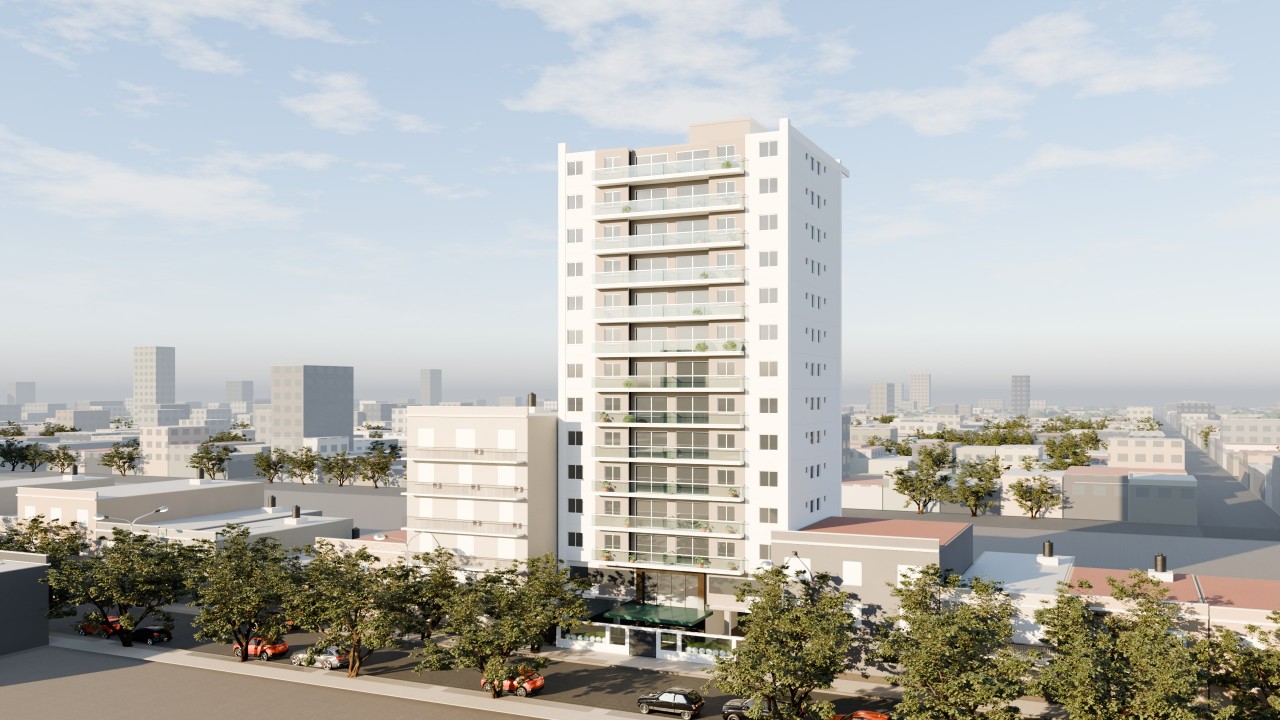
The real facade, with the neighbors, the trees and the light of the area. What buyers recognize before they look at a price.
-
 02
02
Every floor, with live availability
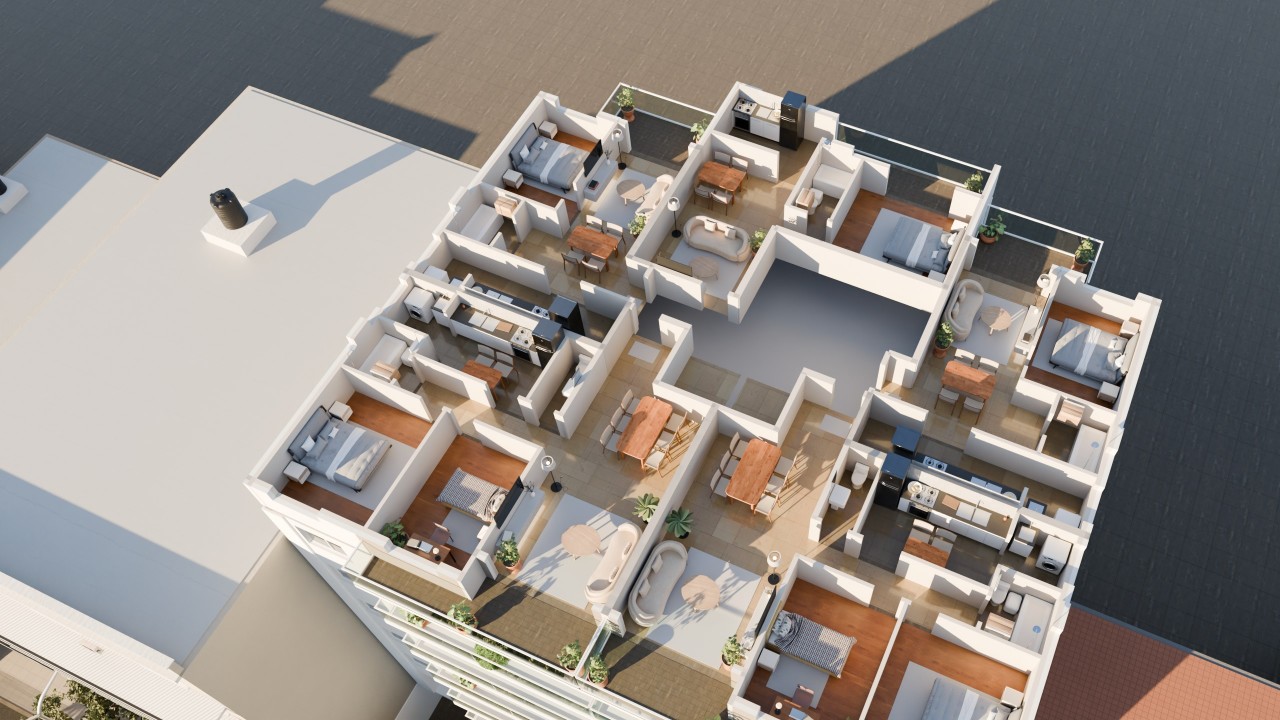
Tap a floor and the furnished floor plan shows up with every unit: which ones are left, which are sold and which way each one faces.
-
 03
03
Every unit, inside
The apartment is walked through by scrolling, from the front door to the balcony, photorealistic and on a phone. It arrives as a WhatsApp link.
Working demos
Try them: just scroll.
The demos are based on real projects by Viviendas Roca and Otamendi Propiedades to show how the product works. They are not official work or commissioned by those companies.
 Demo · Real-time 3D house
Americana 35.64
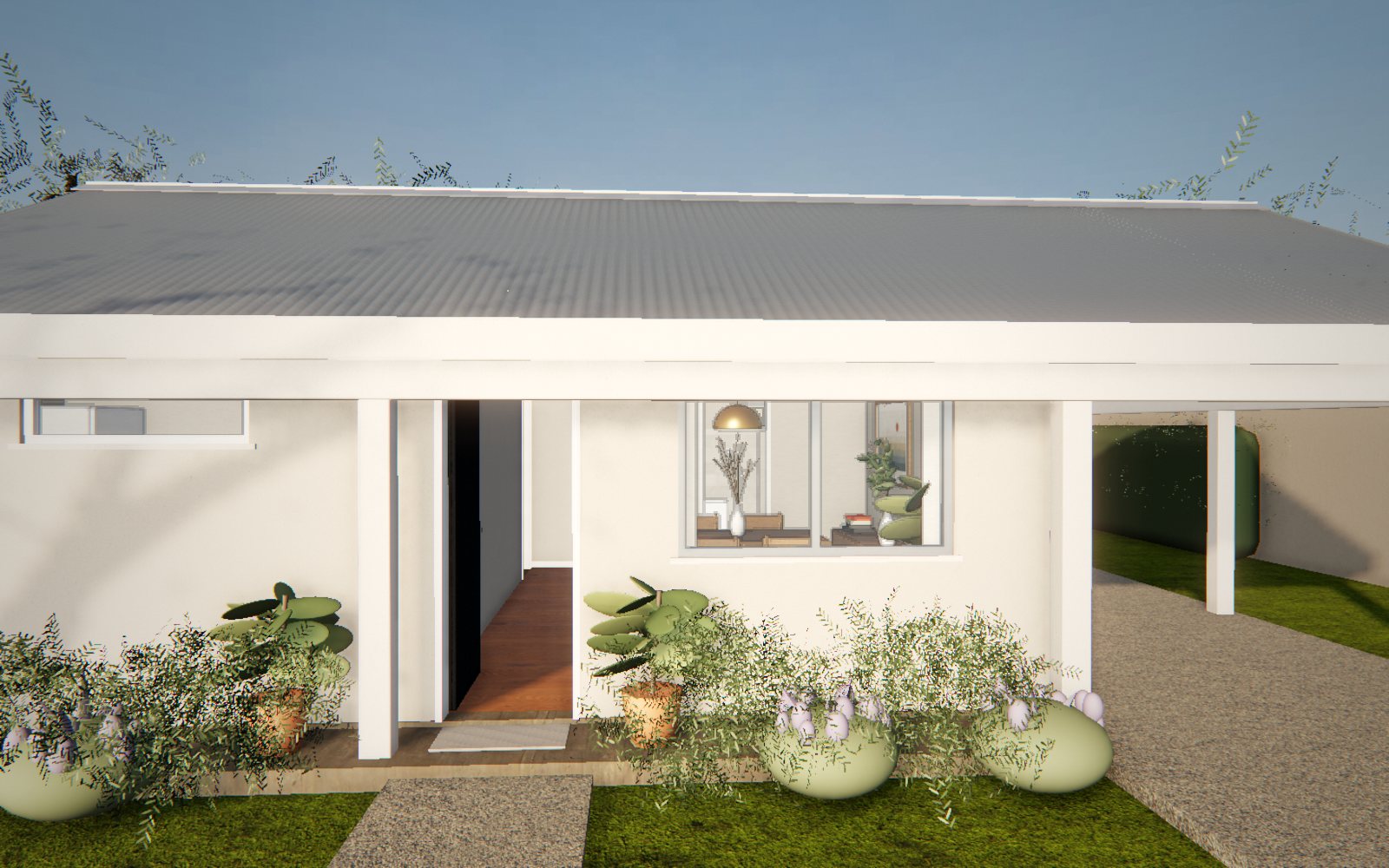
Demo based on a catalog home by Viviendas Roca: the floor plan rises into the furnished house, which you walk through in morning, afternoon and night light.
Open the demo →
Demo · Real-time 3D house
Americana 35.64
Demo based on a catalog home by Viviendas Roca: the floor plan rises into the furnished house, which you walk through in morning, afternoon and night light.
Open the demo →
 Demo · Photorealistic building
Maconda XXIV
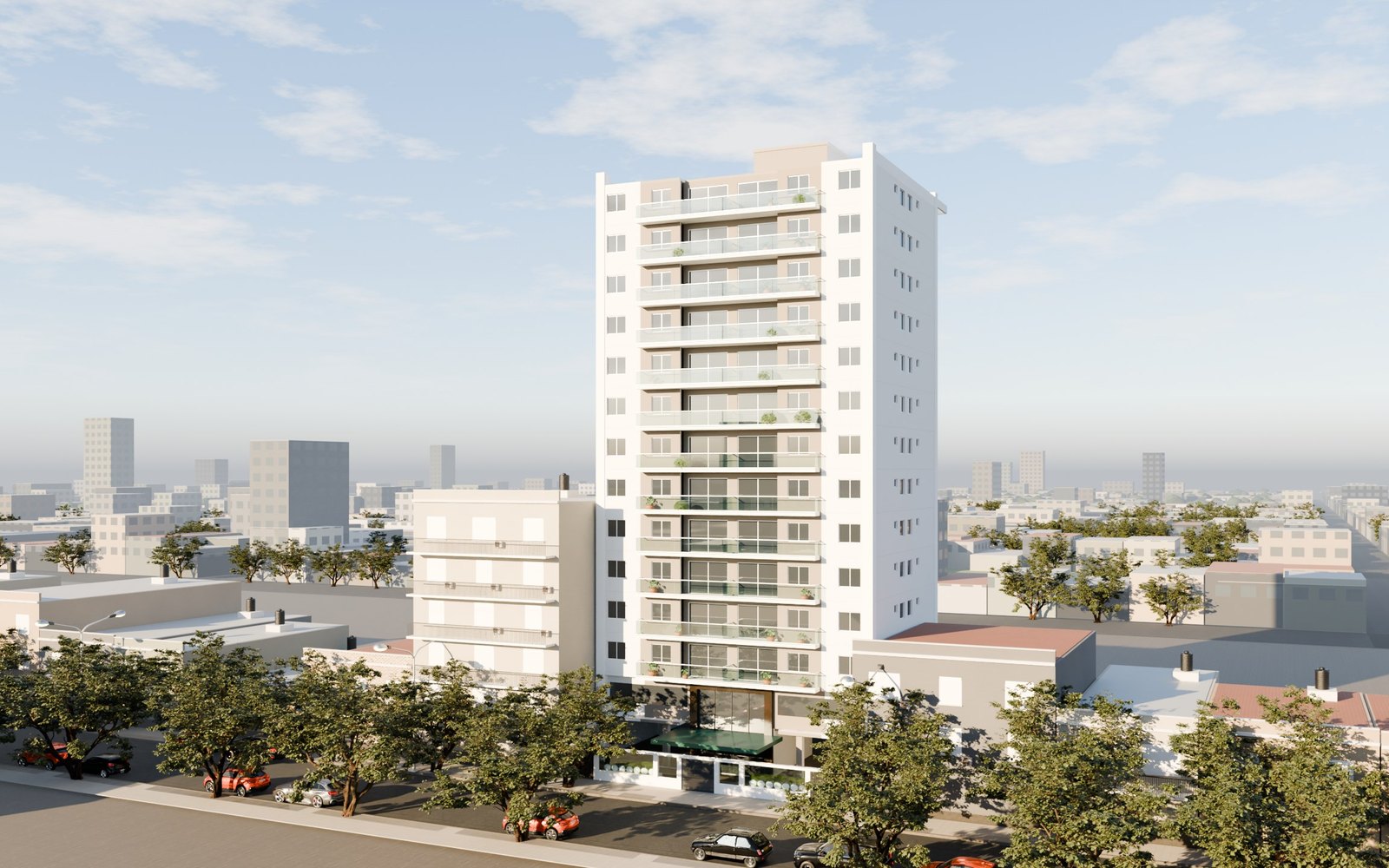
Demo based on a twelve-story building in Quilmes, Buenos Aires, marketed by Otamendi Propiedades: pick the floor and the unit, then walk through it.
Open the demo →
Demo · Photorealistic building
Maconda XXIV
Demo based on a twelve-story building in Quilmes, Buenos Aires, marketed by Otamendi Propiedades: pick the floor and the unit, then walk through it.
Open the demo →
Services
Everything you need to sell from the floor plan.
Exterior renderings
The face of the project: the building or the house on its real block, for the site sign, the website and the listing portals. The first impression that makes people ask.
Learn more → 02Interior renderings
Furnished rooms with the project's real finishes. Buyers picture themselves living there and understand why the unit is worth what it costs.
Learn more → 03Interactive 3D walkthroughs
The unit is walked through on a phone, room by room, from a WhatsApp link. Whoever contacts you already knows it and knows what they want.
Learn more → 04Unit selector and lot map
The building with tappable floors, or the neighborhood with its lots, and up-to-date availability. It organizes the sale, shows what’s sold and guides buyers to what’s worth most.
Learn more → 05Launch video
The project told in one minute for social media, portals and presentations. A brand that looks solid from the first day of pre-sales.
Learn more → 063D models for web and apps
Lightweight models for configurators, apps and interactive presentations that load fast on any phone.
Learn more →How we work
From the floor plan to your sales team in four steps.
Tell me about the project
You send the plans, the brochure and the finishes. We decide together what to show based on who you sell to and which units you want to push.
First draft
I show you how it's going to look so we can adjust in time, before anything goes out.
You approve
You review the images and walkthroughs with your sales team and ask for the agreed changes.
You start selling
You get images, video and the walkthrough ready for your website, social media, listing portals and your sales team's WhatsApp.
Blog
Ideas to sell more from the floor plan.
FAQ
What people ask me most.
Got another question? Message me and we’ll sort it out.
Ask on WhatsAppWhat is a 3D walkthrough?
It's a way to show a house or an apartment before it exists: buyers walk through it room by room in the browser or on their phone, by scrolling or with a finger, without installing anything.
How does it help me sell?
Buyers understand what they're buying without reading a floor plan, picture themselves living there and reach out with a unit already chosen. Your team answers fewer repeated questions, does fewer showings that go nowhere and can hold the price better.
Does it work on a phone?
Yes. It's built for the phone, which is where buyers open the link when you send it by WhatsApp or text. It works on any phone, with no downloads.
Do you work with developers outside Argentina?
Yes. I work remotely from Buenos Aires (UTC−3) with developers in the Americas and Europe: you send the plans, we review drafts on a video call and everything is delivered as links and files. I speak English and Spanish.
What language is the walkthrough in?
Whatever you need: fully in English, fully in Spanish, or bilingual with a language switch. The same material works for local buyers and buyers abroad.
What do I need to get started?
The plans (PDF or DWG), the finishes or the brochure, and for a building, photos of the block. That's enough for a first draft.
How much does it cost?
It depends on the number of images, units and walkthroughs, the level of detail and the timeline. Every project gets its own quote: message me on WhatsApp or by email.