Markets
3D walkthroughs for US developers and homebuilders selling pre-construction
In short: In the US, pre-construction sales split into condo towers and new-construction homes from builders, and in both many buyers are relocating from another state. A 3D walkthrough of each floor plan and elevation, shared by link, lets them tour the home before it exists and before they move.
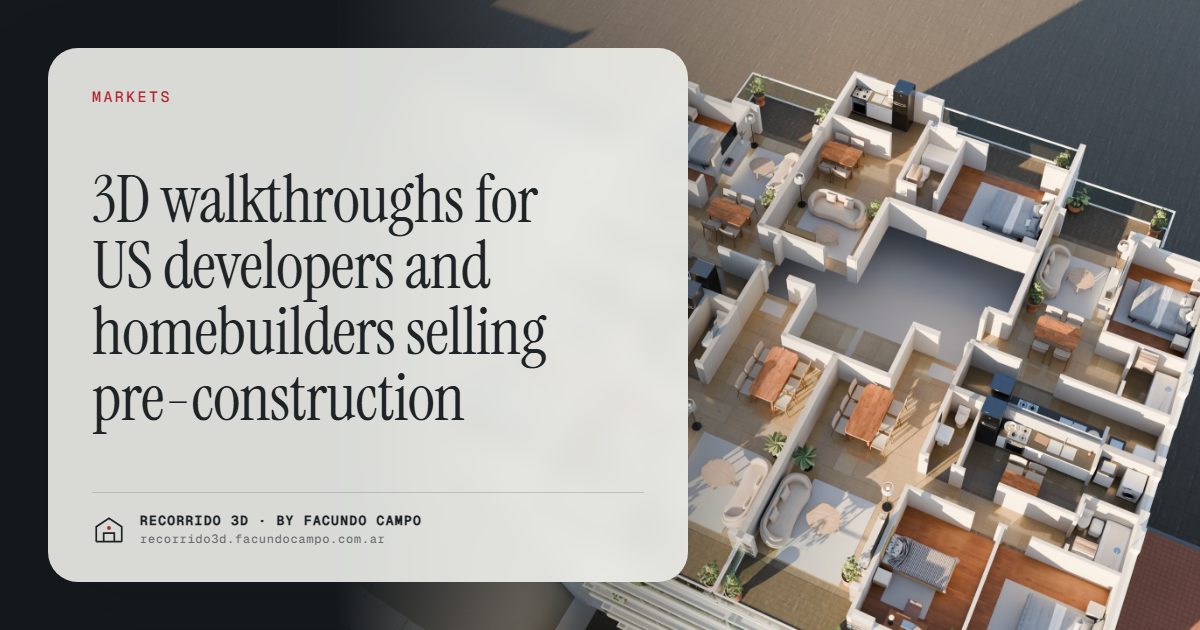
For US developers and homebuilders, 3D walkthroughs solve a familiar pre-construction problem: buyers are asked to commit to a home or condo that doesn't exist yet, and many of them don't live in the area. Someone relocating from Illinois to Texas, or from New York to Florida, can't drop by the model home on a weekend. A walkthrough they can open on their phone lets them tour the floor plan, see the finishes and share it with their family before they ever visit.
Two markets inside pre-construction
"Pre-construction" in the US covers two quite different businesses, and the material each one needs is different:
- Condo and multifamily developers selling units in a building before it's finished, typically in cities like Miami, Austin, Nashville or Charlotte. The buyer chooses a unit, a floor and a view. There's a separate article on Miami.
- Homebuilders selling new-construction single-family homes in a subdivision or master-planned neighborhood, common across Florida, Texas, Arizona and the Carolinas. The buyer chooses a lot, a floor plan, an elevation and a set of options.
What both share is that the buyer is deciding on something they can't walk through. The rest changes, so it's worth looking at them separately.
The buyer moving from another state
A lot of new-construction demand in the Sun Belt comes from people relocating: remote workers, families following a job, retirees moving somewhere warmer. They often shop for homes from where they live now, comparing builders and neighborhoods online for weeks before a single trip.
For that buyer, a static floor plan and a few renderings leave too many questions open. How big does the great room really feel? Does the kitchen island face the backyard? Is the primary suite far enough from the kids' rooms? A walkthrough answers those on screen, and lets the couple tour it together even if one of them is still at work back home.
When they finally fly in, they're not starting from scratch. They already know which plan they want and which lots to see. The visit becomes a closing visit. There's more on this in selling to buyers who don't live nearby.
Floor plans, elevations and options
Homebuilders sell a catalog: a handful of floor plans, each with two or three exterior elevations, and a menu of options such as an extra bedroom instead of a study, a covered patio, a different kitchen layout. On paper, that menu is hard to picture. The buyer sees a list and a line drawing.
A walkthrough per floor plan, with the main options shown, turns that list into something they can see. A few ways builders can use it:
- One walkthrough per floor plan, with the standard finishes, so buyers can tour every plan without visiting a model home for each.
- Elevations shown on the same house, so buyers see how the same plan looks with each facade.
- Key options visible, like the study converted to a bedroom, or the extended patio, so buyers understand what they're choosing.
- Day and evening light, which matters for how the backyard and the living areas feel.
That also helps the sales team. Instead of describing options, they show them. More on that in the walkthrough as a tool for your sales team. If you build catalog or modular homes, see renderings for catalog and prefab homes, and you can try the Americana 35.64 house demo, an unofficial working demo based on a model by Viviendas Roca, an Argentine homebuilder.
The site plan and the lot map
For a subdivision, the lot is half the decision. Buyers want to know where each lot sits: near the pool, backing onto a pond, on a corner, close to the entrance. Builders usually share a site plan as a PDF, which is hard to read on a phone and goes out of date as lots sell.
An interactive lot map does the same job better: the buyer sees the whole neighborhood, taps a lot to see whether it's available and which plans fit it, and opens the walkthrough of the house they're considering. For condo buildings, the same idea works floor by floor. See the interactive unit selector and selling lots with a house design.
You can see the building version in the Maconda XXIV demo, an unofficial working demo based on a 12-story building in Quilmes, near Buenos Aires, marketed by Otamendi Propiedades.
What the material shouldn't promise
Pre-construction marketing in the US comes with disclosure rules and contract terms that vary by state and by product. That's for your legal team and a local professional. What the visual material can do is stay accurate:
- Show the standard finishes as standard, and label upgrades as upgrades.
- Make it clear that furniture and decor are for illustration.
- Show the real surroundings, not an idealized horizon with no neighbors.
- Keep the lot map and availability current, so no one falls for a lot that's already sold.
That consistency protects the builder at closing and makes the material something buyers trust.
How working remotely with me works
I work from Buenos Aires, Argentina, for developers and builders in other countries. You send the plans, elevations, the options list and the finish specifications. We agree on what to show over a video call. You review progress through links and approve each step. You receive renderings and walkthroughs as links for your website, your listings and your sales team.
Buenos Aires is one or two hours ahead of US Eastern time and four or five ahead of Pacific, depending on the season, so we share a good part of your working day. I work in English and Spanish. If you have a neighborhood or a building coming up, message me on WhatsApp at +54 9 11 6193-3176 or email facundocampo100@gmail.com.
Frequently asked questions
Does a 3D walkthrough replace the model home?
Not necessarily. A model home is still valuable for buyers who visit. The walkthrough covers the floor plans that aren't built as models, and the buyers who can't come in, and it keeps working after the visit when they want to look again.
Can you show the different elevations of the same floor plan?
Yes. The same house can be shown with each of its exterior elevations, so buyers compare them side by side before choosing.
Do you work in English?
Yes. I work in English and Spanish, so meetings, comments and the final material can be in English.
Does it work for condos as well as houses?
Yes. For a condo building, the walkthrough goes per unit type, and an availability view shows which units are free on each floor, with the view from each one.
