3D walkthroughs
3D virtual tours of apartments: what they are and how they help you sell
In short: A 3D virtual tour of an apartment lets buyers walk through a photorealistic unit on their phone before it's built. It helps them understand the space, picture themselves living there and reach out with their decision further along.
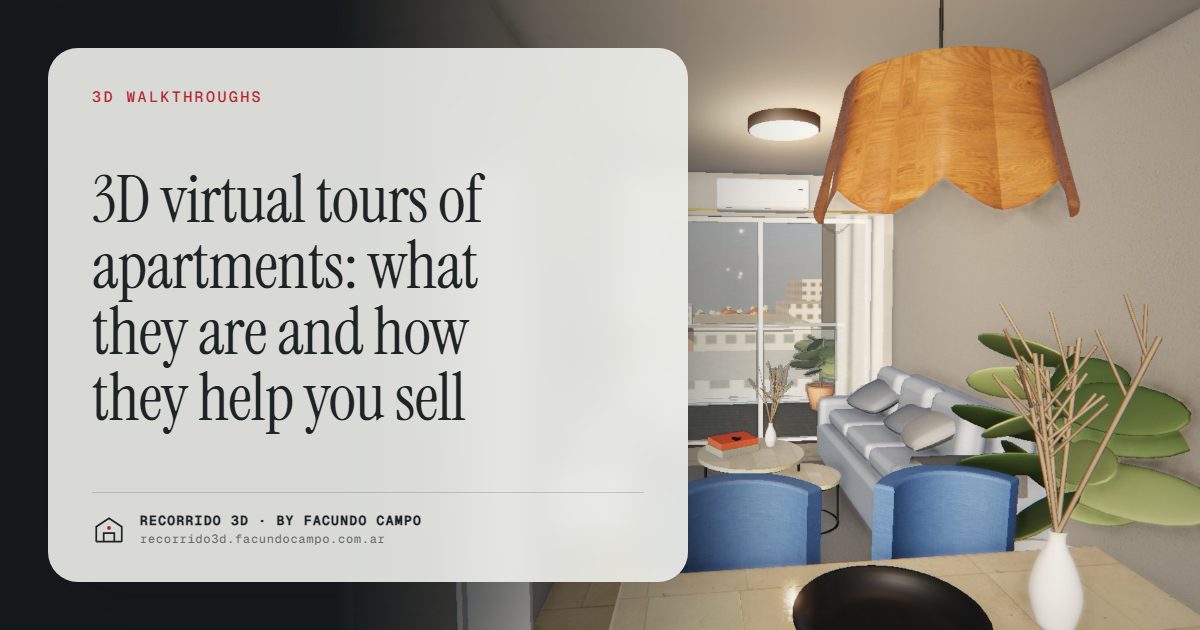
A 3D virtual tour of an apartment, or 3D walkthrough, is a way to walk through a unit on a phone or computer, room by room, before it's built. The buyer moves forward with a finger or a scroll and sees the apartment furnished, with its finishes and its light. It helps you sell pre-construction units with fewer doubts, fewer wasted showings and more trust.
What does the buyer see?
The experience is simple: they open a link, with nothing to install, and step into the apartment. They move through the living room, the kitchen, the bedrooms and the balcony as if they were walking. They see how the rooms connect, how roomy the living room feels, where the bed goes and what's outside the window.
In a building, the tour can start from the street. In the building demo, an unofficial working demo based on Maconda XXIV, a 12-story building in Quilmes, near Buenos Aires, marketed by Otamendi Propiedades, the buyer sees the building on its real block, taps a floor, sees the plan with the units and their availability, picks one and walks through it.
For houses, the house demo, based on the Americana 35.64 model by Viviendas Roca, shows the paper floor plan rising into the house, in morning, afternoon and evening light.
Why isn't a floor plan enough?
A floor plan is clear to an architect and abstract to almost everyone else. Most buyers have no feel for what a 10-foot-wide living room is like, or whether a three-seat sofa fits across from the TV. That uncertainty turns into doubts, inquiries that go nowhere and a "let me think about it" that often never comes back.
A walkthrough fixes that in one go: the buyer doesn't have to imagine it, they see it. And once they understand the space, the conversation with the salesperson changes. It's no longer about whether the apartment is small, but about which unit suits them best.
How does it help you sell?
Sell the pre-sale faster
In pre-construction, the big hurdle is that buyers have to trust something that doesn't exist. A photorealistic walkthrough makes the project feel finished and eases the fear of buying blind. I go into this in how to sell a pre-construction project faster.
Better-qualified leads
If someone has already walked through the unit before reaching out, the inquiry is a different kind of inquiry: they know what they like, which unit type they prefer and which floor they want. The ones who aren't a fit rule themselves out, and your agent doesn't lose an afternoon on a showing. See fewer showings that go nowhere.
Hold the price
A unit people understand and want gets negotiated differently. When the buyer sees the afternoon light in the living room or the furnished balcony, the value stops being just square footage. That helps you hold your price per square foot and sell units with standout features for what they're worth. More in raising the average ticket.
Reach people who can't come
An investor in another city, or a buyer living abroad, can walk through the unit from home, show it to their family and decide. For developers selling to international buyers or to people from out of town, this is often the only "visit" they'll get before signing. See selling to out-of-town investors.
Where does it get used?
A 3D walkthrough isn't a file that sits in a folder. It's a link that works every day:
- WhatsApp, text or email: the agent sends it in reply to every inquiry.
- The developer's website: embedded, with the project's branding.
- Listing sites and social media: as a link in the listing or in the bio.
- Sales center: on a screen or tablet, to walk through with the client sitting next to you.
For the sales team it's a real tool, not decoration. I explain that in the 3D walkthrough as a tool for the sales team.
Do you need a walkthrough for every apartment?
No. One walkthrough per unit type covers every floor where that type repeats. A 40-unit building with 3 floor plans needs 3 walkthroughs, not 40. The floor selector takes care of showing each unit with its floor and availability. That makes a walkthrough a reasonable option for mid-size developments too. More on the selector in the interactive floor and unit selector.
How is it different from a 360° tour?
A 360° tour is made from photos of a place that already exists, so it doesn't work for selling off-plan. You also move from one point to the next in jumps. A 3D walkthrough is made from the floor plans, shows the unit finished and furnished before it's built, and moves continuously. The full comparison is in 360° virtual tour, 3D walkthrough and rendering.
What do you need to get one?
The project's floor plans, the finishes and an idea of who you're selling to, so the furniture style fits. I take care of the rest. I work remotely from Buenos Aires (UTC−3): you send the files, approve the draft over email or a video call and get the link ready to share. The details are in what to send to get started.
If you have a building or a group of homes in pre-sale and want to see how your project would look in a walkthrough like this, message me on WhatsApp at +54 9 11 6193-3176 or email facundocampo100@gmail.com. I answer in English and Spanish, and we'll go over it with your plans.
Frequently asked questions
Does the buyer have to install anything?
No. The walkthrough opens from a link in the browser on a phone or computer. It gets shared over WhatsApp, email or social media like any other link.
Does it work on any phone?
Yes, it's built to run on phones, which is where most people look at listings. You can also turn the phone sideways for a wider view.
Can it go on the developer's website?
Yes. The walkthrough embeds on the project's website, so the buyer stays on your site and the experience is tied to your brand.
Is it useful if the building is already finished?
Yes, especially if the units are empty: the walkthrough shows them furnished and in good light, which a photo of an empty room can't do. See virtual staging.
