Sales & pre-construction
Renderings and 3D walkthroughs for modular and prefab home builders
In short: For a modular or prefab home builder, renderings and a 3D walkthrough of each model show the finished, furnished home without needing a show home to visit. The same material works for every inquiry, keeps the catalog clear and helps buyers choose bigger or better-finished models.
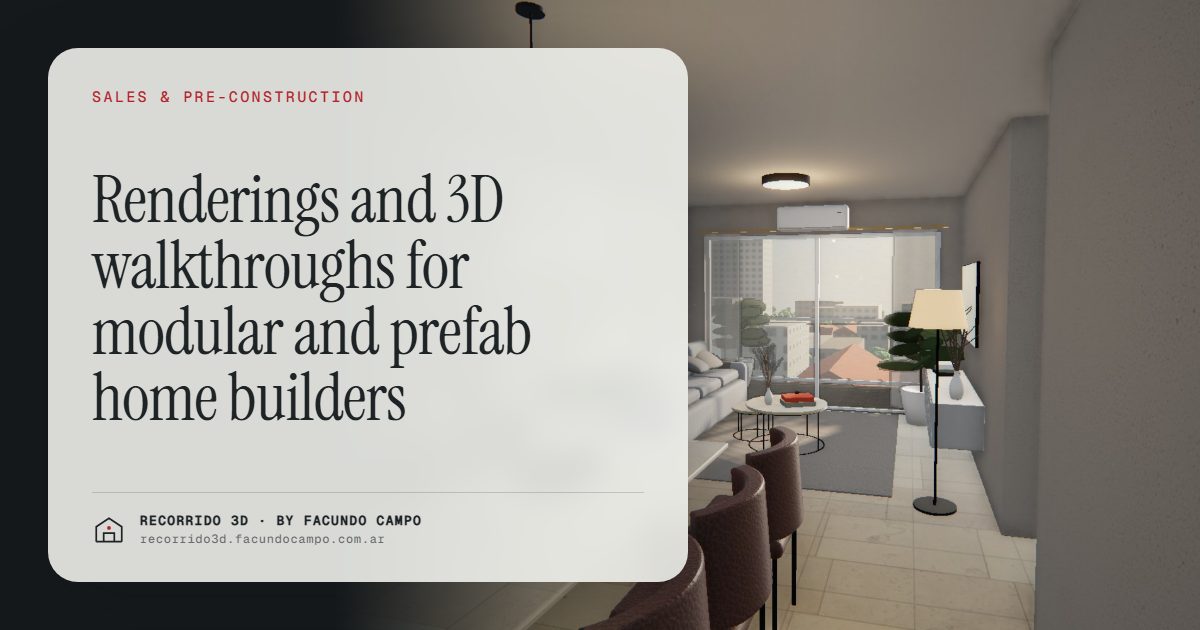
For a company that sells modular, prefab or catalog homes, renderings and a 3D walkthrough of each model work as a show home that never closes. Your buyer sees the house finished, furnished and in morning, afternoon and evening light, right from their phone, without driving to a job site. And because you use the same material with every inquiry, it pays for itself far faster than it would on a one-off project.
What makes a catalog home hard to sell?
Your buyer picks a model from a list. What they usually have to go on is a small floor plan, a couple of photos of a home you delivered to someone else and, if they're lucky, a model home an hour away.
Each of those has a limit:
- The floor plan tells them square footage and room count, but not what it feels like to stand inside.
- The photo of a delivered home shows someone else's house, with other finishes, other furniture and another lot.
- The model home is only one model, and the buyer has to travel to see it.
That's why so many inquiries stall at "let me talk it over at home and I'll get back to you." The buyer has nothing to show their partner and nothing to compare two similar models with.
What does a prefab home builder get out of renderings?
You see the payoff in everyday sales:
- A catalog people understand. Every model with its exterior, its interiors and its walkthrough, all in the same style. Buyers compare models on what they offer, not just square footage and price.
- New models you can sell from day one. You can launch a model before you build the first one, without waiting for a finished home to photograph.
- Less reliance on the model home. The buyer walks through the model they like from their couch, at night, with the family. The in-person visit is for people who've already made up their minds.
- Inquiries from far away. Someone buying for a lot in another state, or who lives far from your sales office, can see the house through a link. More in selling to remote buyers and investors.
- Material you reuse. The same walkthrough works for inquiry number one and inquiry number five hundred. It's an investment that pays back with every sale of that model.
How does it help raise the average sale?
In a catalog business, the margin often depends on the buyer choosing a slightly bigger model or adding upgrades: a covered porch, an extra bedroom, better finishes.
That step is hard when the buyer only sees floor plans. The difference between two models looks like one number for square footage and another for price. When they can walk through both, the difference gets real: the bigger living room, the open kitchen, the porch where they can already picture Sunday lunch. Your salesperson doesn't have to push. The buyer sees it.
The same goes for finishes. Showing the house with the premium package helps the buyer understand why it costs more. There's more on this in defending your price and raising the average sale.
What should you have for each model?
- Exterior. The house on a lot with a yard and sky, as the lead image for your catalog, website and listings. See exterior renderings.
- Key interiors. Living and dining area, kitchen and primary bedroom, furnished, so the buyer pictures living there. See interior renderings.
- 3D walkthrough. For the buyer who's already interested and wants to understand the whole house.
- Social media pieces. Vertical formats and short videos to post each model. See renderings for social media and listing portals.
The 3D walkthrough: a floor plan that rises into a house
The house walkthrough starts from the paper floor plan, which rises and turns into the house. Then the buyer scrolls through it room by room. They can switch between morning, afternoon and evening light, so they see how the house changes through the day. It runs in the browser and on any phone, with nothing to install.
The Americana 35.64 house demo shows the format. It's an unofficial working demo based on a model by Viviendas Roca, an Argentine home builder, put together to show what a catalog home looks like presented this way.
For your salesperson, it's a link that replaces explaining the floor plan. For the buyer, it's the first time they "step inside" the house they're about to buy. See also the walkthrough as a tool for your sales team.
How do you use it to sell?
- On your website: the walkthrough embedded on each model's page.
- By WhatsApp or text: the walkthrough link as your reply to the first inquiry, instead of a PDF floor plan.
- At your sales office or at home shows: on a big screen, so you can walk through several models with the buyer without going anywhere.
- On social media and listing sites: exteriors and interiors to bring in inquiries.
That way, inquiries arrive with a model already picked and specific questions. See better-qualified inquiries.
What do you need to send?
The floor plans for each model, the standard and optional finishes, and a few style references. Then you approve the images and the walkthrough, and you get everything ready for your website, social media and sales office. The details are in what to send to get started.
I work remotely from Buenos Aires, Argentina (UTC−3), with deliveries by link and meetings over video call. If you sell catalog homes and want to see one of your models presented this way, send me a message on WhatsApp at +54 9 11 6193-3176 or email me at facundocampo100@gmail.com. I answer in English and Spanish, and we can build it from your floor plans.
Frequently asked questions
Should I do every model in the catalog at once?
Not necessarily. Many builders start with their best sellers or the model they want to push, and add the rest later. What matters is keeping the same style so the whole catalog looks consistent.
Does it work for launching a model that hasn't been built yet?
Yes, it's one of the best uses. The floor plans are enough to show the model finished and furnished, so you can start taking inquiries before the first home is built.
Does the buyer need to install anything to see the walkthrough?
No. It opens from a link in the browser on a phone or computer, and you can embed it on your website.
Can I show different finish packages for the same model?
Yes. Showing the standard and the premium version helps the buyer understand the price difference and choose with more confidence. We decide which versions make sense when I put together the quote.
