Brand
A real estate developer website that gets inquiries: what to show
In short: A developer's website brings in inquiries when it takes visitors quickly to the projects for sale, lets them see and walk through each unit, shows delivered work and offers a direct WhatsApp or email contact. A corporate site without those elements gets visited and abandoned.
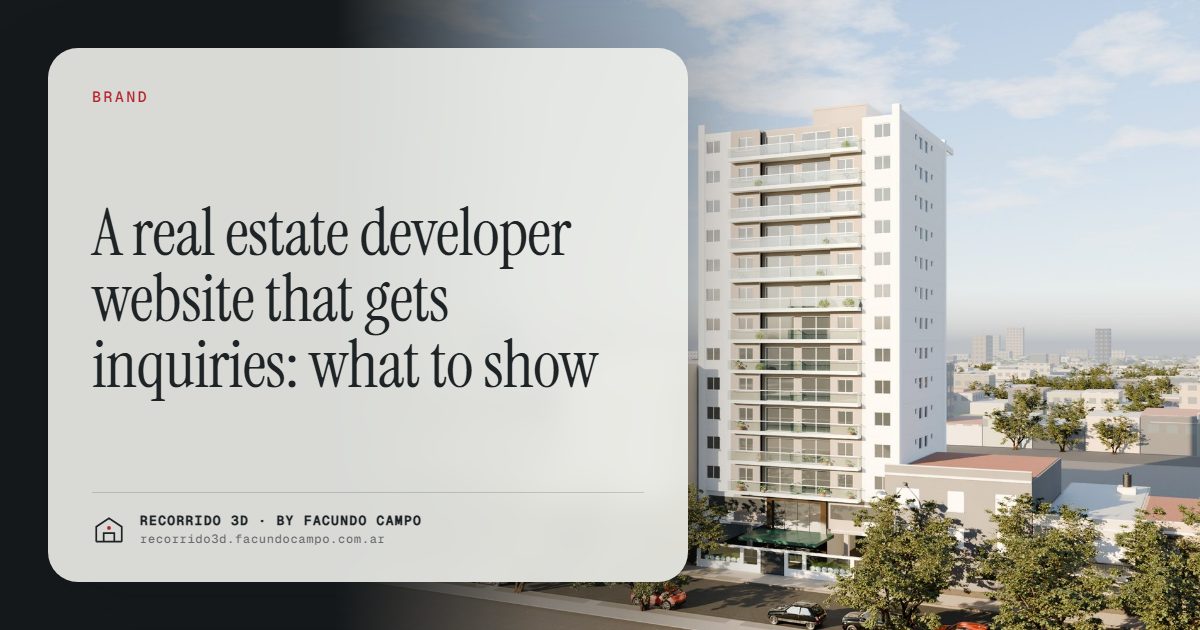
A real estate developer's website brings in inquiries when it gets visitors to what's for sale in one tap, lets them see and walk through each unit, shows the projects already delivered and offers a direct way to ask, ideally WhatsApp. A corporate site with a mission statement, a stock photo of a handshake and a contact form buried three pages deep gets visited and closed.
Who visits a developer's website?
Almost nobody lands there by accident. The people who visit usually came from somewhere specific:
- A buyer who saw the sign, an ad or a listing and wants to know more before writing.
- A buyer who already wrote and is checking whether the company is serious.
- An agency considering whether to market the project.
- An investor or a partner reviewing the track record.
- Someone who searched for new apartments or homes in a specific area.
Each one wants something different, but they all share one thing: they're on a phone, and they'll give the site a few seconds before deciding whether to stay.
What the home page needs
The home page has one job: to send each visitor where they need to go, fast.
- The projects for sale, first. A large image of the current development with its name, location and a button to see it. If there are several, one card each.
- A direct contact, always visible. A WhatsApp button that stays on screen, plus email. Forms are fine as an option, but many buyers prefer to just write.
- Proof, briefly. Finished projects, a few numbers you can actually back up, a short line about the company.
- Nothing in the way. No autoplay intro video that takes ages to load, no pop-up before the visitor knows where they are.
The page for each development
This is where the sale really happens on the website. Each project deserves its own page, and that page should answer the buyer's questions in the order they ask them. There's a full guide in a landing page for a development, but the essentials are:
- The facade on its real street, and an aerial view with what's nearby.
- The unit types, each with a furnished floor plan, interiors and key facts.
- Availability: which units are still for sale, by floor.
- Finishes: what's delivered.
- Construction stage, with recent progress photos.
- A contact on every screen, not just at the bottom.
The 3D walkthrough inside the website
A walkthrough embedded in the project page turns the website into a sales tool that works on its own. The buyer taps a floor, sees which units are available, opens one and walks through it, all without leaving the site or installing anything.
That's what the Maconda XXIV building demo shows, an unofficial working demo: the building on its street, the floors you can tap, each floor's plan with its units, and the walkthrough of each apartment. For houses, the Americana 35.64 house demo, based on a model by Viviendas Roca, shows the same idea for a single home with morning, afternoon and night light.
The benefit is that buyers who reach out have already seen the unit. Inquiries come in more qualified, and the first call starts at a later stage. More on this in a 3D walkthrough on the developer's website.
How much does the phone matter?
A lot. Most visitors arrive from social media, WhatsApp or a search on their phone. A site that looks great on a desktop monitor and breaks on a phone is losing most of its audience.
Check the basics on an actual phone: does it load fast on mobile data? Can you read the text without zooming? Is the WhatsApp button easy to tap? Does the walkthrough open and move smoothly? If any answer is no, that's the first fix.
Finished projects and trust
For a pre-construction buyer, the most important question is whether the company delivers. The website should answer it with a portfolio of completed projects: real photos, the original rendering next to the finished building, the location and the handover year. The details are in a builder's project portfolio.
If the company is new, honesty works better than padding: the team's experience, smaller projects and frequent updates on the current one.
Getting found on Google
A developer's website can also bring in people who don't know the company yet. That means each project page should say clearly, in plain words, what it is and where: "two-bedroom apartments in [neighborhood]" is something people actually search for. A blog or a section answering common buyer questions helps too.
You don't need tricks. You need pages that describe the projects well, load fast and are useful to the people searching.
Common mistakes
- The project for sale is hard to find, buried under "About us" and "Our values."
- Outdated availability, showing units that sold months ago.
- Only a contact form, with no phone or WhatsApp.
- Heavy images or videos that make the site slow on a phone.
- No finished projects, or photos that don't match the renderings they were sold with.
I make renderings and walkthroughs that developers embed on their websites, working remotely from Buenos Aires, Argentina (UTC−3). If your website needs to sell more and explain less, message me on WhatsApp at +54 9 11 6193-3176 or email facundocampo100@gmail.com. I answer in English and Spanish.
Frequently asked questions
What's the most important thing on a developer's website?
Getting visitors to the project for sale quickly, with clear images, the unit types, availability and a direct contact. Everything else supports that.
Can a 3D walkthrough be embedded in the website?
Yes. It's embedded in the project page and works in the browser on phones and computers, with nothing to install. It can also be shared on its own by link.
Should each development have its own website, or one site for the whole company?
Both can work. A single company site with a page per project builds the brand and the track record in one place. A separate site per project can make sense for large developments with their own identity, as long as it links back to the company.
Should the website show unit availability?
Yes, as long as it's kept up to date. Showing what's still available saves time for everyone and helps push specific units. The interactive unit selector does exactly that.
