Renders
Amenity renderings: the pool, gym and rooftop that don't exist yet
In short: An amenity rendering shows a development's shared spaces, like the pool, gym, rooftop, party room or grill area, before they're built. It helps buyers understand what the project includes and value what those spaces add to their own unit.
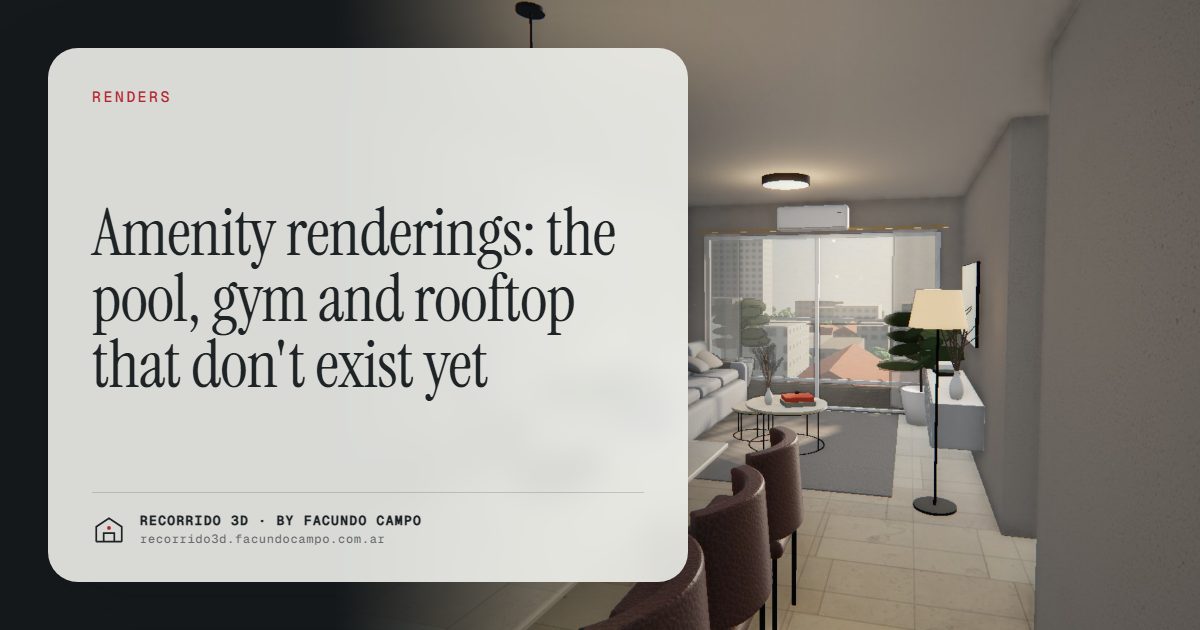
An amenity rendering is a photorealistic image of a development's shared spaces before they exist: the pool, the gym, the rooftop terrace, the party room, the grill area or the coworking space. It turns a line in a brochure into a place buyers can picture themselves using, and that changes how they value the whole project.
Why are amenities so hard to sell off the plan?
Because they're usually the last thing to be built and the first thing written in the brochure. "Pool, gym and rooftop terrace" appears in the listing of nearly every mid- to high-end building. Written down, every development has the same amenities. Buyers read the list, nod and move on.
There's another problem. Amenities come with a cost: buyers know that shared spaces are paid for through monthly HOA fees or service charges. If they can't picture the spaces, all they see is the cost. If they can, they start to see value.
What changes when buyers can see them?
- It sets the project apart. If every development in the area says "pool," the one that shows it, with its real size, its surroundings and its view, is the one buyers remember. See how to differentiate a development.
- It makes the monthly fees easier to accept. When buyers see shared spaces they like, they accept the fees as part of what they get rather than as an expense.
- It adds to the unit's appeal. A compact apartment in a building with a well-designed rooftop sells differently from the same unit with no shared spaces. The amenity extends what buyers feel they're buying.
How should you show each amenity?
Pool and sun deck
Show the pool with the context that makes it worth it: the view, the deck, the loungers, the time of day when it's used. A pool on a rooftop facing the city is a different product from a pool on the ground floor surrounded by greenery, and the rendering should make that obvious.
Party room or multipurpose room
This is the hardest to sell in words, because "multipurpose room" sounds like an empty hall. Show it furnished and in use: set for a birthday, with the kitchen area ready, with the connection to an outdoor space if there is one. Buyers need to imagine their own event there.
Gym
Show the equipment and, above all, the light and the view. A gym with large windows facing a garden or the skyline is worth showing; one in the basement is better described than rendered.
Rooftop and grill area
In many cities, the rooftop with grills or a lounge is the amenity buyers use most. Show it at sunset, set up for a gathering, with the view that justifies it. It's often the image that works best on social media.
Coworking, laundry and bike storage
Smaller, practical amenities don't need a full hero image, but a simple rendering helps. For buyers who work from home or don't have a car, a coworking space or proper bike storage can tip the decision.
Amenities designed for the right buyer
Not every buyer cares about every amenity. A family looks at the pool and the play area; a young professional looks at the gym and the coworking space; an investor thinking about short-term rentals looks at whatever photographs well for guests. The renderings should prioritize the amenities that matter to the buyer each project is aimed at, and stage them with that buyer in mind. If you're selling to investors, there's more in selling to remote investors and buyers.
Show it without promising more
Amenities are where developers are most tempted to exaggerate: a bigger pool, more equipment, furniture that won't be there. It backfires. Shared spaces are used by everyone in the building, so a gap between rendering and reality is noticed by everyone at once.
The rule is the same as for units: what appears in the rendering should match the plans and the spec sheet. If equipment or furniture isn't defined yet, the rendering can show a reasonable version and note that furniture is for illustration. What can't change is the size, the location and the view.
Amenities as part of the building tour
Amenities make the most sense when buyers see them as part of the building, not as isolated pictures. In an interactive building view, buyers can tap the rooftop or the ground floor and see what's there, just as they tap a floor to see its units.
In the Maconda XXIV demo, an unofficial working demo based on a building in Quilmes, near Buenos Aires, the building sits on its real block with floors you can tap and each unit to walk through on your phone. The same kind of view can include the shared spaces. More on the format in the interactive unit selector.
Where should amenity renderings go?
- The cover of listings and social posts: the pool or the rooftop is often the image that stops people scrolling.
- The development's website: a section of its own, with one rendering per amenity.
- Brochure and sales presentation: so the salesperson can show them in the meeting.
- The site sign: if an amenity is the project's main differentiator, it can sit next to the facade.
If your project has amenities that deserve more than a line in the brochure, message me on WhatsApp at +54 9 11 6193-3176 or email facundocampo100@gmail.com. I work remotely from Buenos Aires (UTC−3), answer in English and Spanish, and can look at your plans.
Frequently asked questions
What is an amenity rendering for?
It shows buyers the shared spaces of a development before they're built, so they understand what's included and how it adds to their unit. It also makes monthly fees easier to accept.
Which amenities are worth rendering?
The ones that set the project apart and matter to its target buyer: usually the pool, the rooftop and the party room. Smaller amenities can share a simpler image.
Can you render amenities whose equipment isn't defined yet?
Yes, with a reasonable version and a note that furniture and equipment are for illustration. The size, location and view should always match the plans.
Can amenities be part of a 3D walkthrough?
Yes. In an interactive building view, the shared spaces can sit alongside the units, so buyers see them as part of the building rather than as separate photos.
