3D walkthroughs
One 3D walkthrough per unit type: show a whole building without touring every unit
In short: A walkthrough per unit type is a 3D walkthrough that serves every unit with the same floor plan, on every floor where it repeats. A 40-unit building with 3 unit types needs 3 walkthroughs, not 40, and each buyer still sees their own unit with its floor and availability.
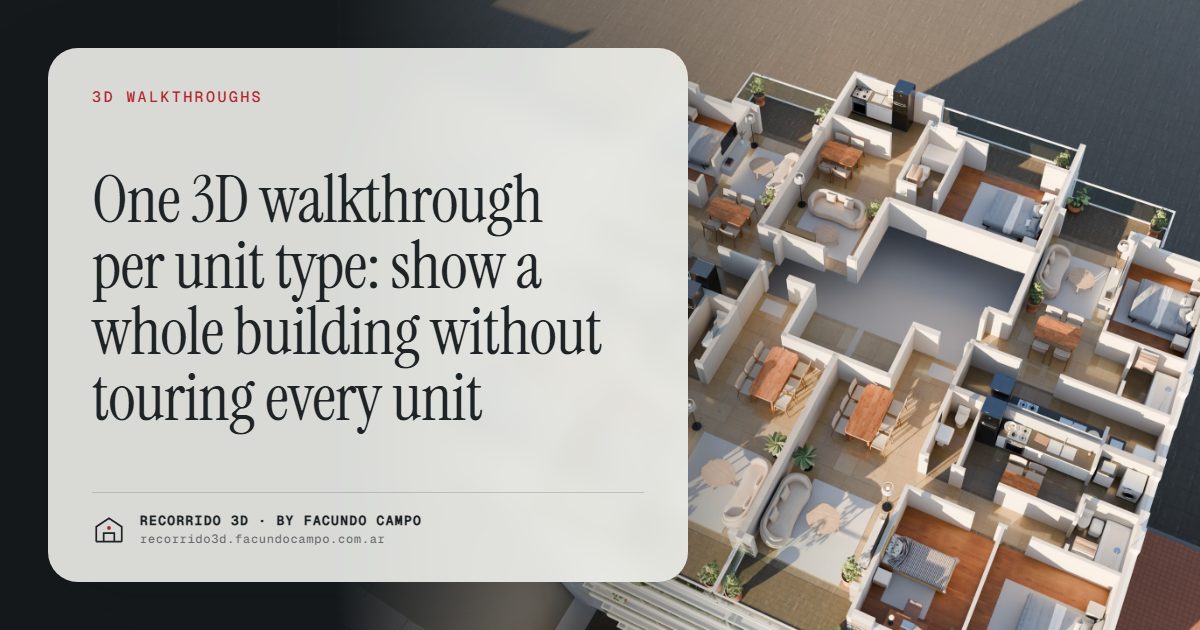
A walkthrough per unit type is a single 3D walkthrough that covers every apartment sharing the same floor plan, on every floor where it repeats. Instead of producing one walkthrough per unit, you produce one per layout. A 40-unit building with 3 unit types needs 3 walkthroughs, not 40. The buyer still picks their specific unit, sees its floor and its availability, and walks through it.
What is a unit type?
A unit type, or floor plan type, is a layout that repeats in a building. Most residential buildings are designed this way: the one-bedroom on the front, the two-bedroom on the corner and the studio at the back, stacked on every floor from the 2nd to the 10th.
The units of the same type have the same rooms, the same dimensions and the same window positions. What changes is the floor, and with it the view, the light and sometimes the price. Developers usually name them with a letter or a code: Type A, Type B, Type C. Buyers rarely use those names, but they're the backbone of how a building is sold.
Why does this change the cost?
Because the work that goes into a walkthrough is in the layout, the furniture and the finishes, and all of that is identical for units of the same type. Producing it once and using it for every floor where it repeats is the reasonable thing to do.
For a developer, that means a walkthrough for a whole building is within reach even for a mid-size project. You're not paying for 40 walkthroughs; you're paying for as many as there are distinct layouts. And if two or three types account for most of the units, those are the ones that matter most.
It also means that, with the same budget, you can show more: the rooftop, the amenities or the view from the high floors, instead of repeating the same apartment over and over. See how much a rendering costs for the factors behind a quote.
How does the buyer see their own unit?
The buyer doesn't experience it as "a shared walkthrough." They experience it as their unit. In a building view, they tap the 7th floor, see the plan with the units and their availability, choose the available two-bedroom on the corner and walk through it.
That's how the Maconda XXIV building demo works, an unofficial working demo based on a 12-story building in Quilmes, near Buenos Aires, marketed by Otamendi Propiedades: the building on its real block, floors you can tap, each floor plan with its units and their status, and the photorealistic walkthrough of each apartment. More on the format in the interactive unit selector.
What the buyer gets is the unit they chose, on the floor they chose, with clear information on whether it's still for sale. The fact that the same walkthrough serves the unit two floors down doesn't change their experience.
What about units that are different?
Almost every building has some: the penthouse with a terrace, the ground floor unit with a garden, a corner that breaks the pattern, a unit merged from two. Those get their own walkthrough, because they're different products and often the ones with the highest ticket.
That's actually where the per-type approach helps most. Because the repeating types are covered efficiently, there's room to give the special units the attention they deserve. The penthouse with its terrace is often the image that represents the whole project. See interior renderings.
And the view from each floor?
It's the logical question: if the walkthrough is the same, what about the view? What matters is that the buyer understands the unit is the same inside and that what changes is the height.
For the floors where the view is a strong argument (a park across the street, the water, the city from above), a still image of the real view from that height can be added. That helps defend the price of the upper floors without multiplying walkthroughs. I go into this in defending your price and raising the average ticket.
How is the material organized for the sales team?
The per-type logic also makes selling more orderly. Each salesperson has a link per unit type, plus the building view for people who haven't chosen yet. When a buyer asks about a specific unit, the salesperson sends the link to its type and mentions the floor.
That keeps everyone using the same material and saves explaining the layout over and over. See the 3D walkthrough as a sales team tool.
What do you need to send?
The plans of each unit type, the floor plates showing which units are which type on each floor, the finish list and the list of units with their availability. If you've already defined a buyer profile for each type, that helps decide how to furnish it. The full list is in what to send to get started.
I work remotely from Buenos Aires, Argentina (UTC−3). We go over the unit types on a video call, you approve the views by message, and you get the walkthroughs by link, ready to share or embed. If you want to see your building presented this way, message me on WhatsApp at +54 9 11 6193-3176 or email facundocampo100@gmail.com. I answer in English and Spanish.
Frequently asked questions
How do I know how many unit types my building has?
Look at the floor plates: units with the same layout and dimensions are the same type, even if they're on different floors. Your architect usually has them labeled already. If in doubt, we review the plans together.
Will buyers notice they're seeing a shared walkthrough?
Not in a way that matters. They choose their unit, see its floor and availability, and walk through a layout that's exactly theirs. What changes between floors, like the view, can be shown separately.
Do mirrored units need a separate walkthrough?
It depends on how buyers perceive them. If the layout is the same but flipped, it's worth deciding case by case: sometimes a note is enough, and sometimes it's better to show it exactly as it is.
If a unit type changes during sales, does everything need to be redone?
No. Only the walkthrough for that type is updated. The rest of the building stays as it is.
