Sales & pre-construction
Real estate project landing page: what it needs to generate inquiries
In short: A project website generates inquiries when it quickly answers what the project is, where it is, which units are left and what they look like inside, and when getting in touch takes one tap. Everything else is secondary.
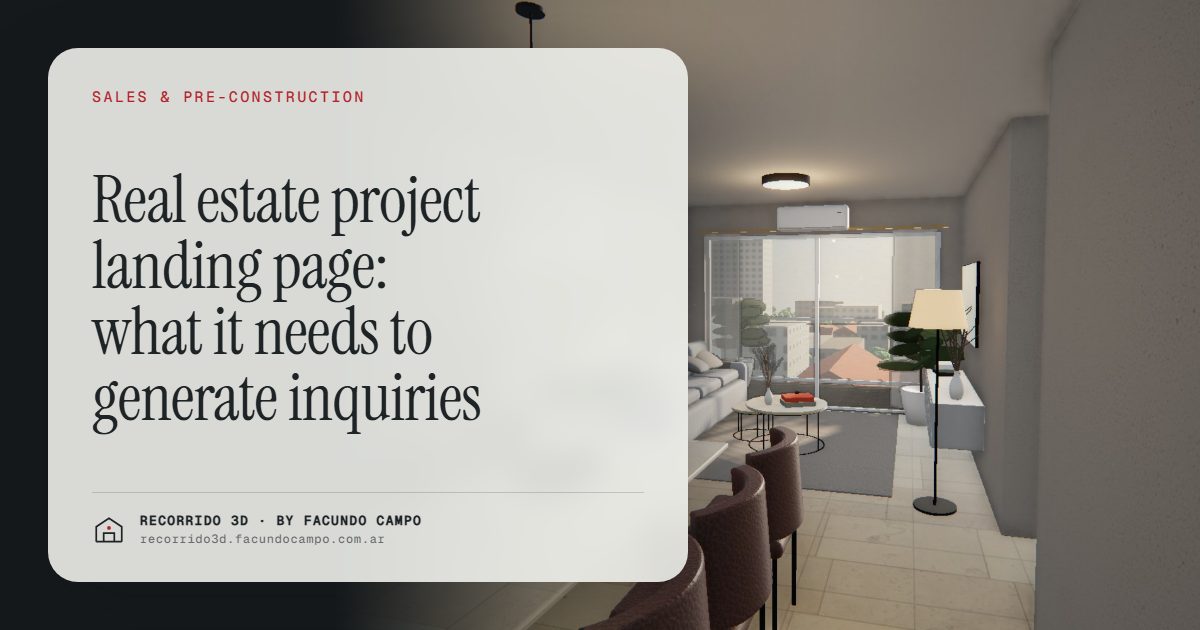
A real estate project landing page generates inquiries when, within seconds and on a phone, a visitor understands what the project is, where it is, which units are left and what they look like inside, and has a clear button to ask about them. It's the page your ads, the QR code on your site sign and your listing portal links all point to. If visitors get lost there, everything you spent to bring them is lost with them.
What is a project landing page?
It's a page dedicated to a single project. It isn't the developer's corporate site with the company history, past buildings and team photos. It's the page for the building on such-and-such street, with one goal: getting the visitor to ask about a unit.
A lot of developers send their ads to the home page, where every project lives side by side, finished and in progress. Someone who clicked an ad for a one-bedroom in a specific neighborhood lands on a page with five projects and has to go looking. Many won't. That's what a project's own page is for, and it can live inside the developer's website. There's more on the main site in a builder's website that generates inquiries.
What has to be at the very top
What shows on a phone screen before any scrolling decides whether the visitor stays. It needs:
- The facade on its real street. Not a rendering floating in space, but the building with its sidewalk, its neighbors and its corner. See exterior renderings.
- The name and location. Neighborhood and street, or at least the area, so people know right away whether it works for them.
- What kind of units there are. Studios, one, two or three bedrooms, with or without parking.
- A contact button. WhatsApp, phone or chat, visible and not covering anything.
With that, visitors know in seconds whether they're interested. Both outcomes are good: the person who isn't interested leaves without taking up an agent's time.
The interactive building at the center of the page
After that first screen, what drives the most inquiries is being able to explore. Instead of a photo gallery and a list of floor plans in PDF, the page can have the interactive building embedded: the visitor taps a floor, sees the floor plate with its units and their availability, picks one and walks through it.
That changes the kind of inquiry you get. Whoever writes in has already seen the unit, knows it's available and asks something specific. I go into this in qualified real estate leads and a 3D walkthrough on the developer's website.
You can see how it works embedded in the Maconda XXIV building demo, an unofficial working demo based on a 12-story building in Quilmes, near Buenos Aires, marketed by Otamendi Propiedades.
What else does the page need?
Once someone is hooked on a unit, they look for information to help them decide. They should find it without having to ask:
- Each unit type with its size. Interior and outdoor area, explained in plain terms.
- The finishes. Floors, kitchen, bathrooms, windows. Better shown in the units than in a list.
- The amenities. With images, if there are any: pool, rooftop, coworking space, gym.
- The location on a map. With what's nearby: transit, schools, shops.
- Construction status and estimated completion. With real progress photos as the work moves along.
- Payment terms in general. Deposit and installments, or simply "ask about financing."
- Who's building it. A paragraph about the developer and their past projects, which builds trust.
What to avoid
Some very common mistakes keep a good-looking page from producing inquiries:
- Autoplay videos that take forever to load. On a phone, on mobile data, people leave before they see anything.
- Long forms. Asking for name, email, phone, ID number and how they heard about you before giving any information scares people off. A messaging button usually does better.
- Floor plans as PDF downloads. Almost nobody opens them on a phone, and those who do rarely understand them.
- Empty marketing copy. "A new concept of living" tells nobody anything. Say concrete things instead: morning sun in the living room, the park two blocks away.
- Outdated availability. When someone asks about a unit listed as available and hears it's sold, trust takes a hit.
One page per project or everything on the main site?
Ideally, each project has its own page with its own address, even if it sits inside the developer's website. Three practical reasons:
- Ads take people straight to the project they showed.
- The QR code on the site sign opens exactly that building.
- When someone searches the project's name on Google, they find a page about that project alone.
For the ads that bring people to that page, see social media ads for real estate projects, and for the sign, a QR code on the construction site sign.
What about houses and land?
Same logic, different centerpiece. For a catalog home or a lot sold with a house design, what the visitor wants is to see the finished house and walk through it. The Americana 35.64 house demo, an unofficial working demo based on a Viviendas Roca model, shows the floor plan rising into a house you move through by scrolling, with morning, afternoon and evening light. Embedded on the model's page, it replaces both the photo gallery and the PDF floor plan.
What I do and what your team does
I don't build the whole project website. I make the piece that goes in the middle of it, the interactive building with its units and walkthroughs, or the walkable house, and deliver it ready to embed in the page you already have or the one your team or agency is building. I work remotely from Buenos Aires: you send me the plans, finishes and location, approve through a link, and get a link plus the code to embed it.
If you're about to launch a project page and want to see how yours would look, message me on WhatsApp at +54 9 11 6193-3176 or email facundocampo100@gmail.com. I answer in English and Spanish.
Frequently asked questions
Does the interactive building slow the page down?
It can be loaded so the page opens fast and the walkthrough starts when the visitor taps it. Even so, whoever builds the site should test it on an ordinary phone, on mobile data, before the ads go live.
Do I need a new website for every project?
Not necessarily. It can be a page inside the developer's site, with its own address. What matters is that it's about one project only and that your ads and your sign point there.
What happens to the page once everything is sold?
It can stay up as part of your portfolio, showing the finished building. That builds trust with buyers for your next project. See a builder's project portfolio.
