3D walkthroughs
3D walkthroughs for architects: let clients walk the project, not guess
In short: A 3D walkthrough lets an architect present a project so the client walks through it room by room on their phone instead of decoding floor plans. It helps get approval sooner, cuts arguments on site and shows off the practice with something shared by link.
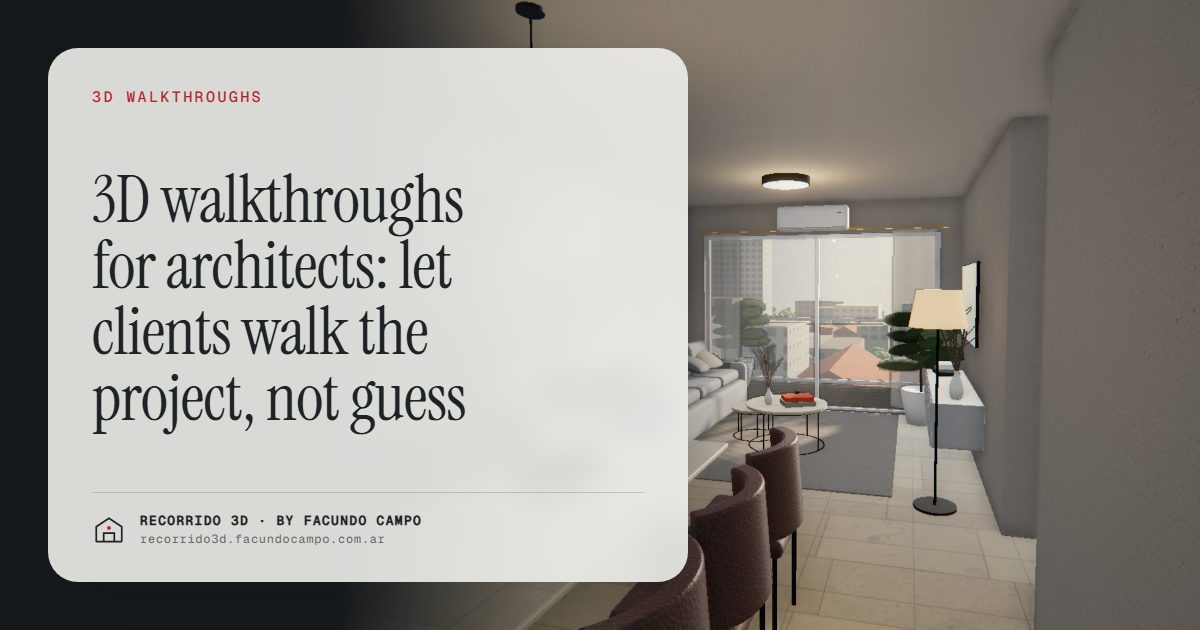
A 3D walkthrough lets an architect present a project so the client actually walks through it, room by room, on their phone, instead of decoding plans and sections. The client understands what they're getting, signs off with more confidence and reaches construction without the classic "I thought it would be bigger." For the practice, it's also a way to show its work with something you share by link.
Why do clients struggle to read floor plans?
Because a floor plan is a technical drawing, and most clients can't read one. They see rectangles with numbers and have to imagine ceiling heights, light, how the kitchen relates to the living room, how much room a table takes. The architect sees all of it. The client nods.
The trouble shows up later. On site, once the walls are up, the client discovers the window faces a different way, the hallway is narrow or the living room isn't as roomy as they pictured. So they ask for changes when changes are expensive, and the relationship with the practice gets tense.
Images help, but a rendering shows one room from one chosen angle. It doesn't show how you get from one room to the next.
What does the client see in a 3D walkthrough?
The finished project, furnished and with the chosen finishes, walked through from start to finish. For a house, the walkthrough can begin with the paper floor plan rising into the house, then continue inside as you scroll: the entry, the living room, the kitchen, the bedrooms, the backyard. In morning, afternoon and evening light, so the client sees how each room changes through the day.
You can see it in the catalog home demo, an unofficial working demo based on a 35 m² (roughly 375 sq ft) model with a carport by Viviendas Roca, an Argentine home builder. It runs on a phone, with nothing to install.
For a building, the walkthrough adds the building on its real block and the plan of each floor with its units. That's what the Maconda XXIV demo shows. It's based on a 12-story building in Quilmes, near Buenos Aires, marketed by Otamendi Propiedades, and it's also an unofficial demo.
What does it do for the practice?
Get sign-off sooner and argue less on site
Once the client has walked through the house, changes come up during design, when moving a wall means erasing a line. "I'd rather have an open kitchen" or "I want the bedroom to look onto the garden" gets sorted out before anyone asks a contractor for a bid, not after the slab is poured.
Let the client decide with their family
Clients almost never decide alone. With a link, they send it to their partner, their kids or whoever is paying, and each of them walks through it on their own phone. The conversation goes from "the architect showed me some plans" to "look how it turned out."
Back up your design decisions
A double-height space, an interior courtyard or a clerestory window makes much more sense walked through than explained. If a client is unsure about a decision you know works, seeing it built usually settles it.
Show off the practice
A walkthrough is a portfolio piece people share: on the practice's website, on social media, in a pitch to a new client. It shows how carefully you work before there's a finished building to photograph. More on this in how a builder grows its brand with every project, which applies just as well to a design practice.
Walkthrough, renderings or video?
They don't compete. Each one does something different:
- Renderings: the strong image for the presentation, the website and social media. See interior renderings and the facade rendering.
- Video: the project told in a minute, at the pace the practice picks. See architectural video.
- Walkthrough: the client moves at their own pace, goes back and stops wherever they want. It's the closest thing to being inside.
For a private client who has to approve their own home, the walkthrough is what helps them understand the most. To launch a development, it's worth combining all three. The differences in detail are in photorealistic images or an interactive walkthrough.
What do you need to send to get started?
Here's how it works from the practice's side:
- You send the project: plans, sections and elevations as PDF or DWG, plus the finishes or material references.
- You review a first draft so you can adjust things in time, before showing it to the client.
- You approve it and get the walkthrough link, ready to send over WhatsApp or email, or to put on your website.
I work remotely from Buenos Aires, Argentina (UTC−3), so practices in other countries work with me the same way: files by email, a video call when it helps and delivery by link. More detail in what to send to get started.
How much does it cost?
It's quoted per project. What moves the number is the size of the project, the number of rooms, how detailed the furnishings are and the deadline. In a building, one walkthrough per unit type covers every floor where it repeats, so the cost depends on how many types there are, not on how many units. See how much a rendering costs.
If you have a project to present and want to see how your client would walk through it, message me on WhatsApp at +54 9 11 6193-3176 or email facundocampo100@gmail.com. I answer in English and Spanish, and we'll look at it with your plans.
Frequently asked questions
Is a 3D walkthrough worth it for a single-family house?
Yes. That's where it helps most with approval: private clients tend to be the ones who read plans least and have the most to decide. The walkthrough shows them their finished home before construction starts.
Does the client need to install anything to see it?
No. It's a web page: it opens from a link in the browser or on a phone, and you share it over WhatsApp or email.
Can the walkthrough be changed if the client asks for modifications?
Yes. Changes agreed during review are built in before the final version. That's why it pays to show the walkthrough during design, while changes are still cheap.
Can I use the walkthrough on my practice's website?
Yes. It embeds on any site or gets shared by link on social media and in your portfolio, and it works as a piece that shows how your practice works.
