Renders
Finish selection renderings: let buyers choose floors and tile by seeing them
In short: A finish selection rendering shows the same unit with different flooring, tile and countertop options so buyers choose by seeing them in place. It makes the choice easier, cuts down on late changes and helps you sell the higher-value options without pushing.
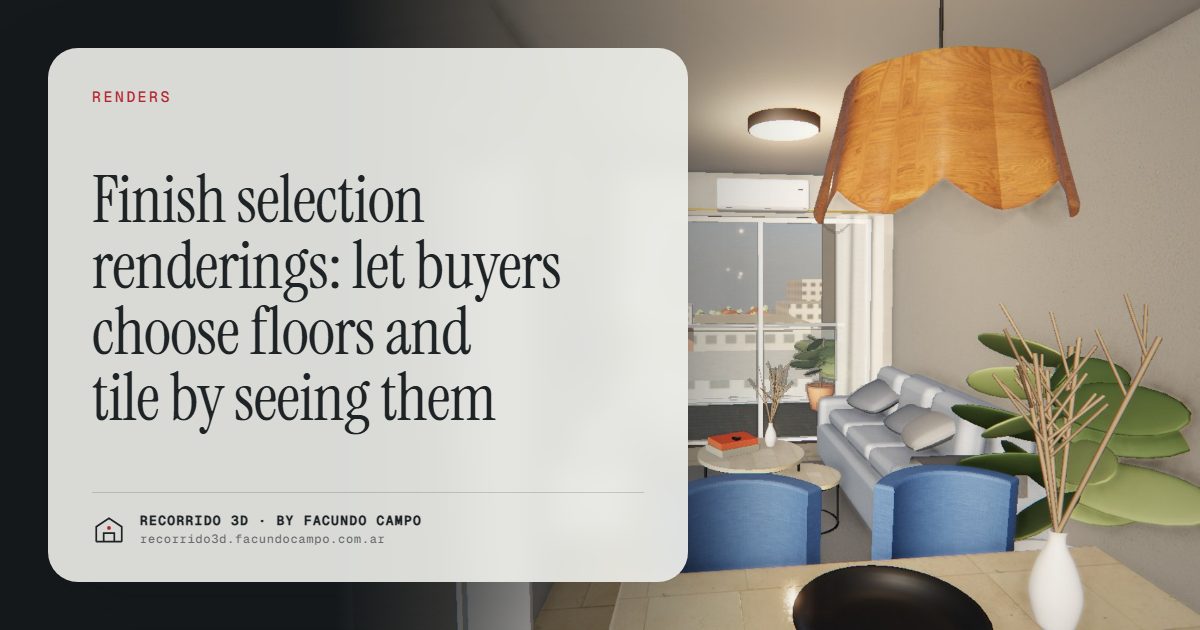
A finish selection rendering shows the same room, or the same unit, with different options for flooring, wall tile, countertops or cabinets, so buyers can compare them in place before they choose. Instead of picking from a sample board or a list of product codes, they see their kitchen with the light oak floor and then with the gray porcelain, and decide.
What problem does it solve?
Anyone who has sold new construction with finish options knows the scene. The buyer sits in front of a sample board, holds a small tile next to a small piece of wood, and tries to imagine a whole room. Most people can't. So they pick what feels safe, or they ask for more time, or they change their mind three times.
Every one of those moments costs something. The sale slows down while the buyer decides. The design selections meeting runs long. And when a buyer changes a finish once construction has moved on, the builder absorbs the hassle, sometimes the cost, and almost always a tense conversation.
A rendering of the room with each option applied answers the question buyers are really asking: "How will my place look?" It's much easier to choose between two finished kitchens than between two samples.
How should the choice be presented?
There are a few ways to set it up, depending on how many options your project offers:
- By package. Two or three complete finish packages (for example, warm, neutral and contrast), each shown in the main rooms. It's the simplest for buyers and the easiest to manage for the builder.
- Standard versus upgrade. The base finish and the upgraded one, side by side in the same view. That makes the difference visible and helps the buyer understand what the extra buys.
- Room by room. Kitchen and bathroom, where the difference shows most, with two or three options each. See kitchen renderings and bathroom renderings.
In all three cases, the key is that the view is the same: same angle, same light, same furniture. Only the finish changes, so the comparison is honest and easy.
Selling the higher-value option without pushing
When the upgrade is just a line in a price sheet, buyers see the extra cost and not much else. When they see the same kitchen with the stone countertop and the upgraded cabinets, they understand what they'd be getting.
That doesn't mean everyone will pick the expensive option, and they shouldn't have to. But the buyer who chooses it does so convinced, and the buyer who doesn't understands what they're leaving out. Both decisions are firmer. The same reasoning, applied to the whole project, is in defending your price and raising the average ticket.
For the salesperson, it changes the tone of the conversation. There's no need to sell the upgrade with adjectives. The image does the work, and the salesperson only has to answer questions.
Fewer changes and fewer complaints
A choice made by seeing the result is a choice that holds. Buyers who saw their bathroom finished are less likely to call later saying "I imagined it differently," because they didn't have to imagine it.
It also helps on handover day. If the delivered unit matches the image the buyer approved, the conversation is short. The rendering becomes a shared reference between the buyer, the sales team and the site team: everyone looked at the same thing.
For that to work, what's shown has to be what's installed. The images should use the real products the builder has chosen, or close references when a supplier isn't closed yet, and say so.
How does it fit into a 3D walkthrough?
In a walkthrough, finish options can be part of the tour: the buyer walks through the unit and sees it with the finish package they're considering. It's the most complete version, and it makes sense for projects where the options are a strong selling point.
For smaller projects, two or three still images per key room are usually enough. They're sent by WhatsApp or email, shown in the sales meeting and kept as a record of the choice. There's more on using material in the sales conversation in the 3D walkthrough as a sales team tool.
What do you need to send?
The plans for the unit type, the finish list for each option with brands or references, and photos or spec sheets for the products when possible. If you have physical samples, a well-lit photo of each one helps a lot.
If the builder hasn't closed its suppliers yet, we can work with reference finishes and update the images once they're defined. What matters is that what the buyer sees matches what they'll get. The full list is in what to send to get started.
Does it work for homes already built?
Yes. With catalog homes or models that repeat across lots, buyers often choose finishes before their home is built, even when the model already exists elsewhere. Seeing the home with their own choices is clearer than visiting a finished home with someone else's. I cover this in renderings for modular and catalog homes.
I work remotely from Buenos Aires, Argentina (UTC−3), with delivery by link and approvals by message or video call. If you want to see your units with their finish options, message me on WhatsApp at +54 9 11 6193-3176 or email facundocampo100@gmail.com. I answer in English and Spanish.
Frequently asked questions
How many finish options should you show?
Two or three per room, or two or three complete packages, is usually enough. More than that and buyers stop comparing and start getting lost, which defeats the purpose.
Does the rendering replace the physical sample board?
No, they work together. The rendering shows how the finish looks in the room, and the sample lets buyers touch the material. Seeing both gives them the most confidence.
Can you show each buyer's own selection?
It can be done for projects where it makes sense, for example high-end units or custom homes. For most buildings, showing the packages is enough, and each buyer's choice is recorded against the image of the package they picked.
What if a supplier changes during construction?
The affected images can be updated with the new product. It's worth doing before more buyers choose, so the reference everyone uses matches what will actually be installed.
